wamad

What Are My Agents Doing?

See which of your Claude Code agents are working, at a glance. Every agent becomes a little character in a pixel-art office. 내 Claude Code 에이전트들이 지금 뭘 하는지 한눈에. 에이전트 하나하나가 픽셀 회사의 작은 캐릭터가 됩니다.

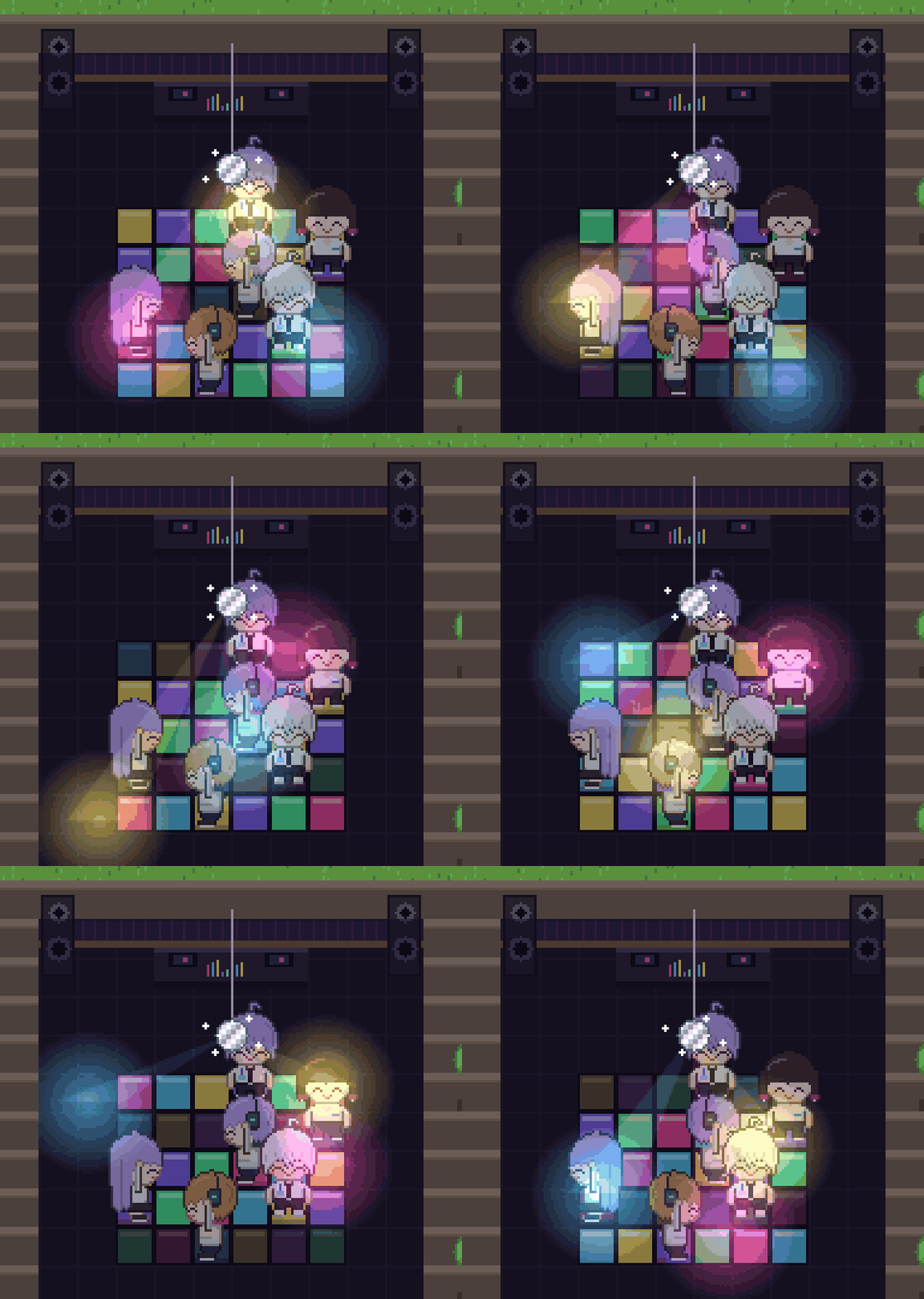
Agents dancing in the hidden ??? room

When an agent's context passes 80%, it sneaks off to the hidden ??? room to dance. 컨텍스트가 80%를 넘은 에이전트는 몰래 숨은 ??? 방에 가서 춤춥니다.

Download다운로드

Free and open source. Runs only on your computer. You need Claude Code on the same computer. 무료 오픈소스입니다. 내 컴퓨터 안에서만 동작합니다. 같은 컴퓨터에서 Claude Code를 쓰고 있어야 합니다.

What you see무엇이 보이나요

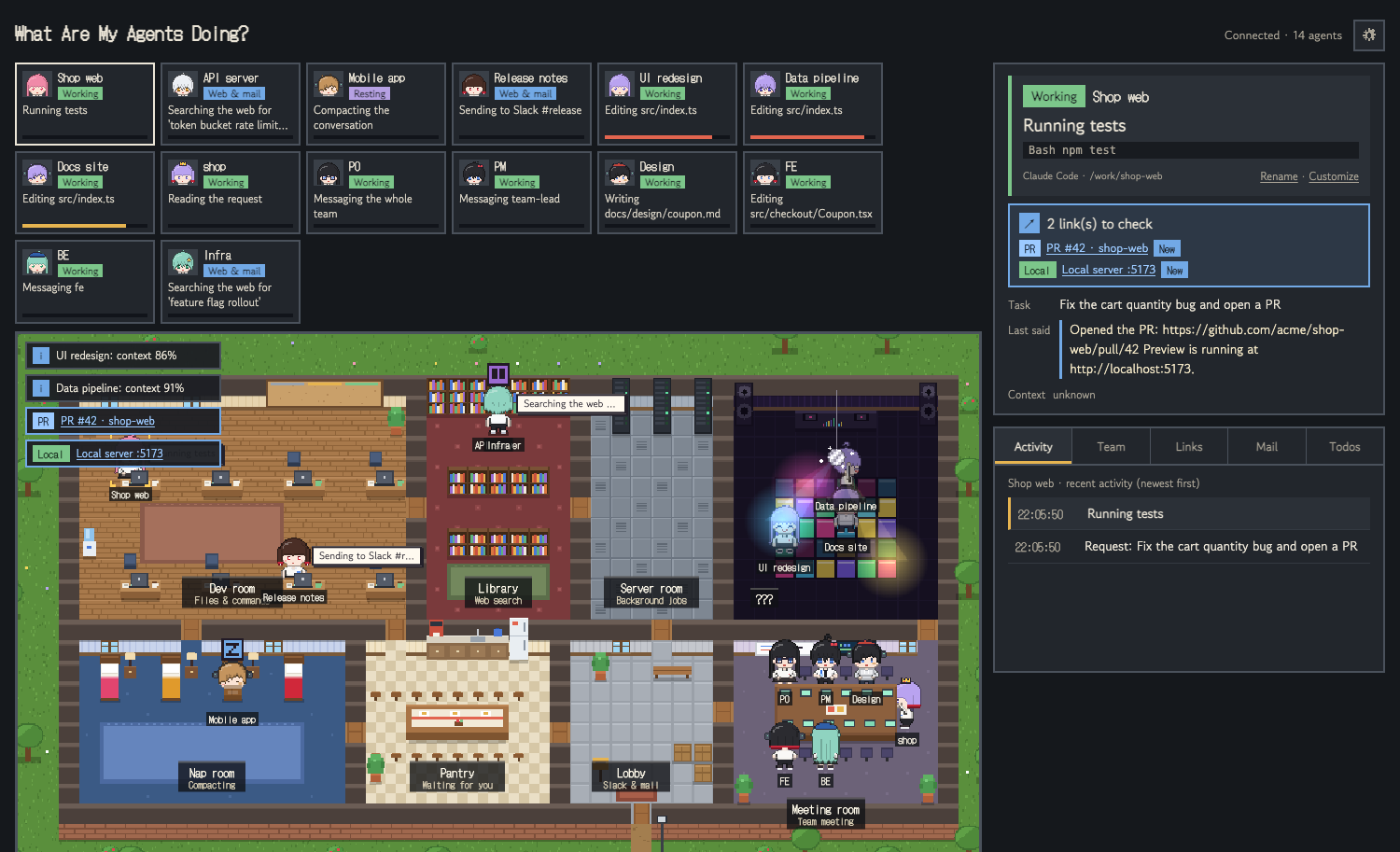
The office map with agents working in each room 방마다 에이전트가 일하는 회사 지도
Dev room개발실

Agents editing files or running commands type at their desks.

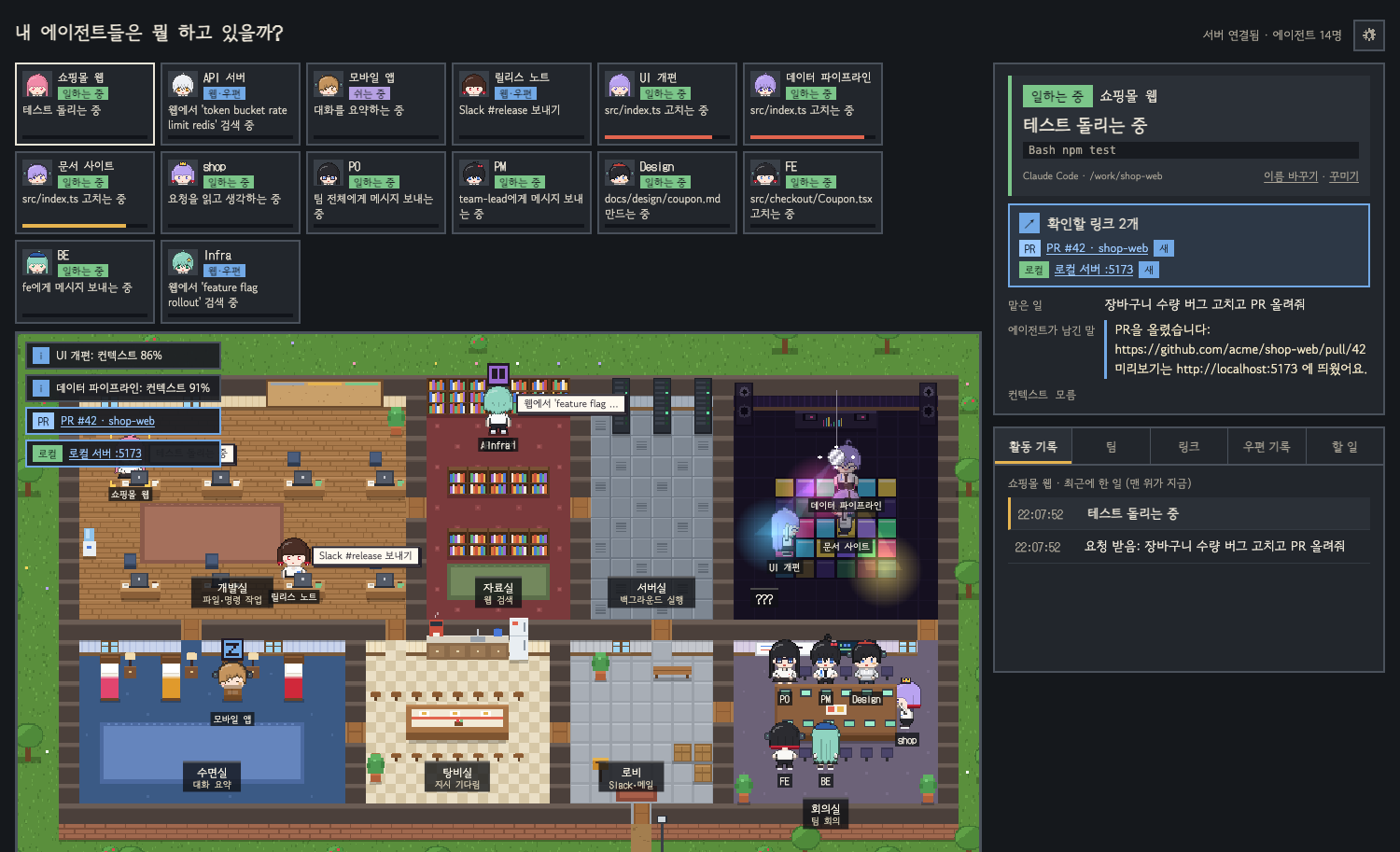
파일을 고치거나 명령을 실행하는 에이전트는 책상에서 타이핑합니다.

Library자료실

Agents searching the web walk to the bookshelves.

웹을 찾아보는 에이전트는 책장 앞으로 갑니다.

Nap room수면실

Agents compacting their conversation take a nap.

컨텍스트가 차서 정리(compact)하는 에이전트는 침대에서 잡니다.

Needs you나를 기다림

A "!" pops up when an agent is waiting for your approval.

승인을 기다리는 에이전트 머리 위에 "!"가 뜹니다.

Links링크

PR links and local servers your agents mention, one click away.

에이전트가 알려 준 PR 주소와 로컬 서버를 바로 눌러 엽니다.

Dress-up shop꾸미기 상점

Agents earn coins by working. Spend them on hats and pets that follow them around.

에이전트가 일하면 코인이 쌓입니다. 그 코인으로 모자를 씌우고 졸졸 따라다니는 펫을 사 줄 수 있습니다.

Meeting room회의실

Claude Code agent teams gather here and pass letters to each other.

Claude Code 에이전트 팀이 모여 서로 편지를 주고받습니다.

Which Claude sessions show up어떤 대화가 보이나요

One character is one Claude Code conversation running on this computer. Run more conversations at the same time to get more characters. 캐릭터 하나는 이 컴퓨터에서 돌고 있는 Claude Code 대화 하나입니다. 대화를 여러 개 동시에 열면 캐릭터도 늘어납니다.

Where you talk to ClaudeClaude와 대화하는 곳Shows up보이나Why이유
Claude Code in a terminal (incl. Orca)터미널의 Claude Code (Orca 포함)✅Runs on this computer이 컴퓨터에서 돕니다
Claude Code extension for VS CodeVS Code의 Claude Code 확장✅One character per conversation대화마다 한 명
Claude desktop app, Code tab (on this computer)Claude 데스크톱 앱 Code 탭 (이 컴퓨터에서 실행)✅One character per session세션마다 한 명
Claude desktop app Chat tab, claude.aiClaude 데스크톱 앱 Chat 탭, claude.ai❌Not Claude Code. The chat runs only on Anthropic's servers and leaves nothing on this computerClaude Code가 아닙니다. 대화가 Anthropic 서버에서만 돌고 이 컴퓨터에 기록이 남지 않습니다
Cloud sessions (claude.ai/code, Code tab cloud sessions)클라우드 세션 (claude.ai/code, Code 탭의 클라우드 세션)❌Runs on a remote machine원격 컴퓨터에서 돕니다
Codex CLI, Gemini CLICodex CLI, Gemini CLI❌Not yet, planned아직 지원하지 않습니다 (예정)

A conversation with no activity for an hour leaves the office. Agent team teammates each get their own character. 1시간 동안 움직임이 없는 대화는 사무실에서 빠집니다. 에이전트 팀의 팀원은 한 명씩 캐릭터가 됩니다.

Opening it the first time처음 열 때

The app isn't signed with an Apple or Microsoft certificate yet, so your computer shows a warning the first time. It's safe to open; you only need to do this once. 아직 Apple·Microsoft 인증서로 서명하지 않은 앱이라 처음 열 때 경고가 뜹니다. 한 번만 아래처럼 열면 다음부터는 그냥 열립니다.

macOS

  1. Open the downloaded .dmg and drag the app into Applications.
  2. Open the app. When macOS says it can't verify the developer, click Done.
  3. Open System Settings › Privacy & Security, scroll down, and click Open Anyway next to the app.
  4. Open the app again and click Open.
  1. 내려받은 .dmg를 열고 앱을 응용 프로그램 폴더로 끌어다 놓습니다.
  2. 앱을 엽니다. "확인할 수 없습니다"라는 창이 뜨면 완료를 누릅니다.
  3. 시스템 설정 › 개인정보 보호 및 보안을 열고 아래로 내려 앱 옆의 그래도 열기를 누릅니다.
  4. 앱을 다시 열고 열기를 누릅니다.

Windows

  1. Run the downloaded wamad-windows-setup.exe.
  2. If "Windows protected your PC" appears, click More info, then Run anyway.
  3. The app installs and opens by itself.
  1. 내려받은 wamad-windows-setup.exe를 실행합니다.
  2. "Windows의 PC 보호" 창이 뜨면 추가 정보를 누르고 실행을 누릅니다.
  3. 설치가 끝나면 앱이 저절로 열립니다.

When the app opens, it asks whether to connect to Claude Code. Connecting also shows permission prompts and agent teammates. The app lives in your menu bar, so closing the window keeps it running. 앱이 열리면 Claude Code와 연결할지 묻습니다. 연결하면 승인 대기와 에이전트 팀원 움직임까지 보입니다. 앱은 메뉴 막대에 머물러서, 창을 닫아도 계속 돌아갑니다.

Private by design내 컴퓨터 안에서만

It only reads Claude Code's local history on your computer and serves the office at 127.0.0.1. Nothing is sent anywhere. 내 컴퓨터에 있는 Claude Code 기록만 읽고, 화면은 127.0.0.1에서만 열립니다. 밖으로 보내는 것은 없습니다.

For developers개발자라면

Prefer the terminal? With Node.js 20 or later, one line runs it. Then open http://127.0.0.1:4545. 터미널이 편하다면 Node.js 20 이상에서 한 줄로 실행합니다. 그다음 http://127.0.0.1:4545 를 엽니다.

npx what-are-my-agents-doing